
BoatConnect1.11.1 - Google Play
You'll be able to see results in few seconds.
Publisher Description
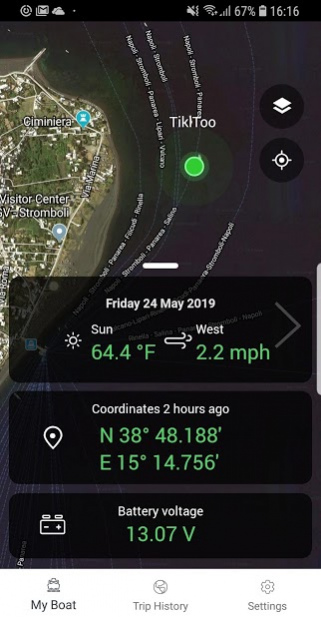
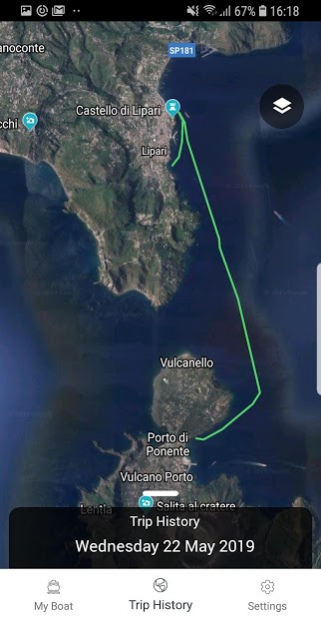
BoatConnect from Simrad gives you peace of mind. Monitor your boat’s location and battery, track trips and movement. Receive alerts if your boat leaves a designated area, and know when your battery is low. With BoatConnect stay close to family or employees out at sea, track a stolen boat or ensure your battery is ready for planned trips.
- Access to the boat’s location from a smartphone
- Alerts if the boat leaves designated area
- Remote access to the battery status of the boat
- A history of the boat’s recent trips
- No-strings-attached subscription plan
- Low cost and easy to set up
- Weather status at boat’s location
- Developed by Simrad, leaders in marine electronics
To use BoatConnect you will need to purchase a BoatConnect hub. The hub is available online and at selected retail stores. Installing the BoatConnect app is free.
The smart boat monitoring service costs $19.99/month. You can cancel the subscription at any time.
Subscription is for one month and automatically renews unless auto-renew is turned off at least 24 hours before the end of the current period. Your account will be charged for renewal within 24 hours prior to the end of the current period. You can manage subscriptions by going to your Account Settings after purchase. Cancellations will take effect at the end of the current subscription period.
About BoatConnect
The company that develops BoatConnect is Navico Norway AS. The latest version released by its developer is 1.11.1.
To install BoatConnect on your Android device, just click the green Continue To App button above to start the installation process. The app is listed on our website since 2021-06-23 and was downloaded 0 times. We have already checked if the download link is safe, however for your own protection we recommend that you scan the downloaded app with your antivirus. Your antivirus may detect the BoatConnect as malware as malware if the download link to com.navico.simrad.boatconnect is broken.
How to install BoatConnect on your Android device:
- Click on the Continue To App button on our website. This will redirect you to Google Play.
- Once the BoatConnect is shown in the Google Play listing of your Android device, you can start its download and installation. Tap on the Install button located below the search bar and to the right of the app icon.
- A pop-up window with the permissions required by BoatConnect will be shown. Click on Accept to continue the process.
- BoatConnect will be downloaded onto your device, displaying a progress. Once the download completes, the installation will start and you'll get a notification after the installation is finished.
Program Details
System requirements
Download information
Pricing
Version History
version 1.11.1
posted on 2021-06-23
Fixed a number of bugs and some improvements for a better experience.
version 1.10.2
posted on 2021-05-07
Fix subscription problem on Android and a bug for migrated users
version 1.9.10
posted on 2020-09-18
Minor bug fixes, UX improved
version 1.9.9
posted on 2020-06-10
Squashing bugs, taking names - we’ve made a number of small enhancements to the app to give you a better experience.
version 1.9.6
posted on 2019-09-09
Performance improvements
Disclaimer
Official Google Play Link
We do not host BoatConnect on our servers. We did not scan it for viruses, adware, spyware or other type of malware. This app is hosted by Google and passed their terms and conditions to be listed there. We recommend caution when installing it.
The Google Play link for BoatConnect is provided to you by apps112.com without any warranties, representations or guarantees of any kind, so access it at your own risk.
If you have questions regarding this particular app contact the publisher directly. For questions about the functionalities of apps112.com contact us.
